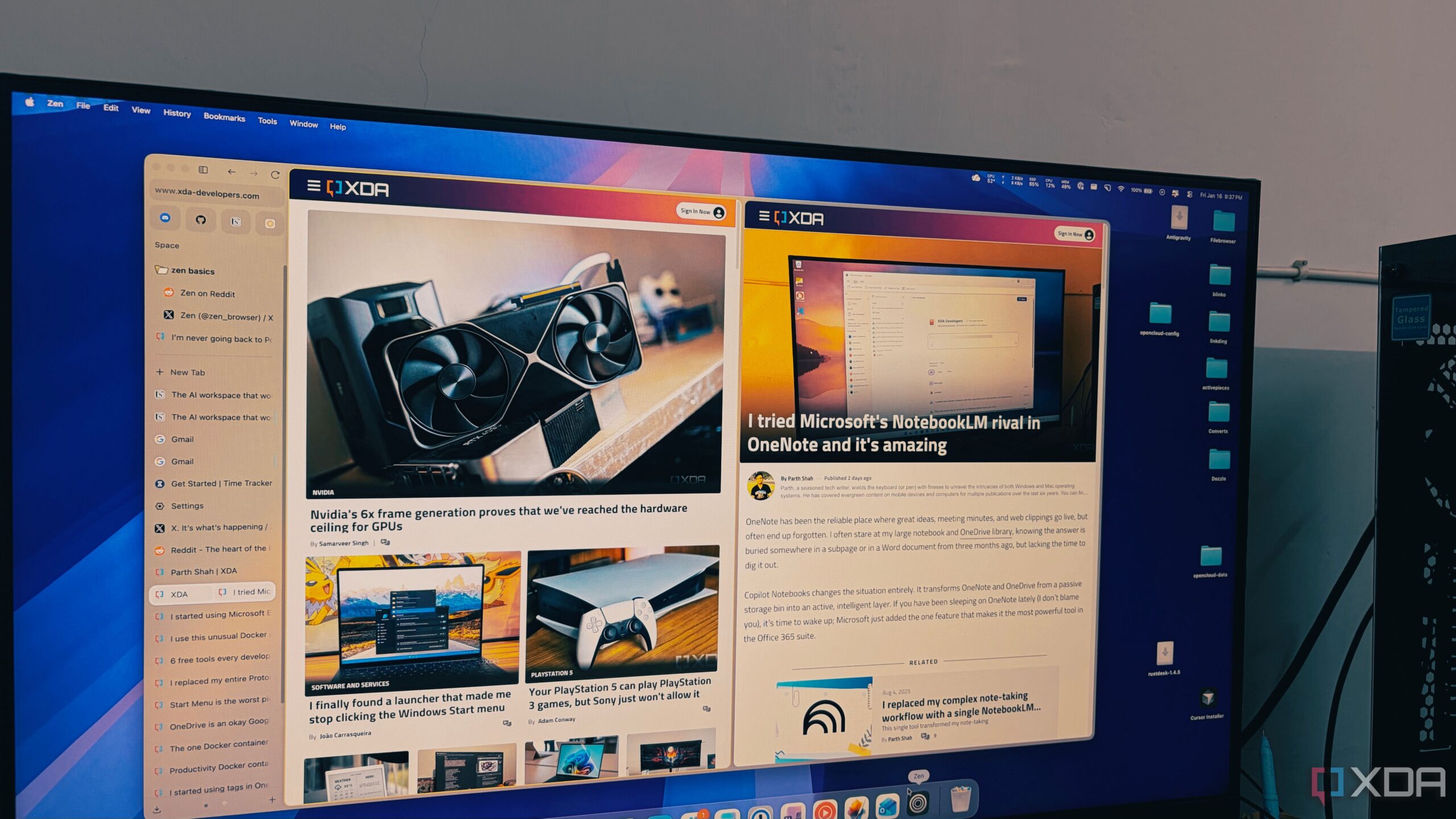
As digital workflows evolve, the need for efficient browsing solutions has never been more critical. The newly launched Zen Browser offers a refreshing alternative, designed specifically to manage extensive tab usage more effectively than traditional options like Google Chrome. Built on the Firefox framework, Zen provides a minimalist interface that aims to streamline productivity for users who frequently juggle numerous tabs.
Zen Browser distinguishes itself in a crowded market by prioritizing user experience over conventional design norms. Unlike most modern browsers that merely replicate Chrome’s interface, Zen embraces a vertical tab management system. This approach not only optimizes screen space but also enhances usability, allowing users to maintain clarity even when managing upwards of 100 tabs. The design philosophy ensures that users can access their work without the overwhelming clutter often found in horizontal tab layouts.
Redefining Tab Management
For many users, the anxiety of navigating through dozens of open tabs can be a significant hurdle. Zen Browser addresses this challenge by presenting tabs in a vertical format, making it easier to read and manage active sessions. The sidebar, which houses all open tabs, can be set to auto-hide, offering a distraction-free browsing experience. This feature allows users to focus on their current tasks, as the sidebar gracefully appears when needed, providing instant access to their digital resources.
In addition to its innovative tab layout, Zen Browser introduces the Essentials feature. This allows users to pin their most-used applications, such as WhatsApp, Gmail, and Slack, at the top of the sidebar as large icons that remain visible, reducing the chance of losing essential tools amidst research tabs. Furthermore, the integration of Workspaces enables users to categorize their tasks efficiently. For example, one can create separate workspaces for different projects, enhancing organization and workflow.
Privacy and Performance Redefined
The browser also leverages Firefox’s container technology, allowing users to manage multiple accounts—such as personal and work-related Google accounts—within a single window without data overlap. Each container is color-coded for quick identification, making it simpler to switch contexts without confusion.
Performance-wise, Zen Browser excels where many of its competitors falter. Unlike Chrome and other Chromium-based browsers that tend to slow down when multiple tabs are in use, Zen maintains a responsive interface. Users report a smoother experience, with less strain on system resources, even during extensive browsing sessions. The Gecko engine, which powers Zen, is designed to handle background processes efficiently, ensuring that performance remains optimal.
As users increasingly rely on their browsers for both personal and professional tasks, Zen Browser emerges as a compelling solution for those overwhelmed by traditional browsing methods. Its combination of innovative design, enhanced privacy features, and reliable performance makes it a worthy alternative for anyone looking to optimize their online experience. In a landscape dominated by Chromium browsers, Zen stands out as a product that understands the needs of modern users in 2024 and beyond.